
Screenshots

App details
- Updated
- Sep 18, 2023
- Language
- Chinese 11 moreLanguagesChineseEnglishFr...
- Developer
- workintool
- Category
- Mobile
SoftPas in:
This product is also available in the following languages:
About WorkinTool TranslateAI
Download WorkinTool TranslateAI – AI Document Translation, Voice Transcription, File Converter
Overview
WorkinTool TranslateAI is an AI-powered mobile application designed to streamline document translation across multiple formats while preserving original structure and layout. It enables users to translate files including Word, Excel, PowerPoint, TXT, images, and PDFs without losing formatting, making it ideal for professionals, office staff, and students who frequently handle multilingual content. The app also extends its functionality to audio and video transcription, offering intelligent translation of spoken language, which is particularly valuable for content creators, educators, and international teams. By integrating translation, file conversion, and recognition tools into a single platform, WorkinTool TranslateAI addresses the growing need for efficient, accurate, and all-in-one productivity solutions in a globalized digital workspace. The app was released on September 18, 2023, and is positioned as a utility tool within the productivity category. While the developer did not provide additional background details, the app’s feature set suggests a focus on real-world usability for users managing complex document workflows. Its ability to process both written and spoken content enhances its relevance in academic, corporate, and creative environments where language barriers often slow down communication and collaboration.
Key Features & Functionality
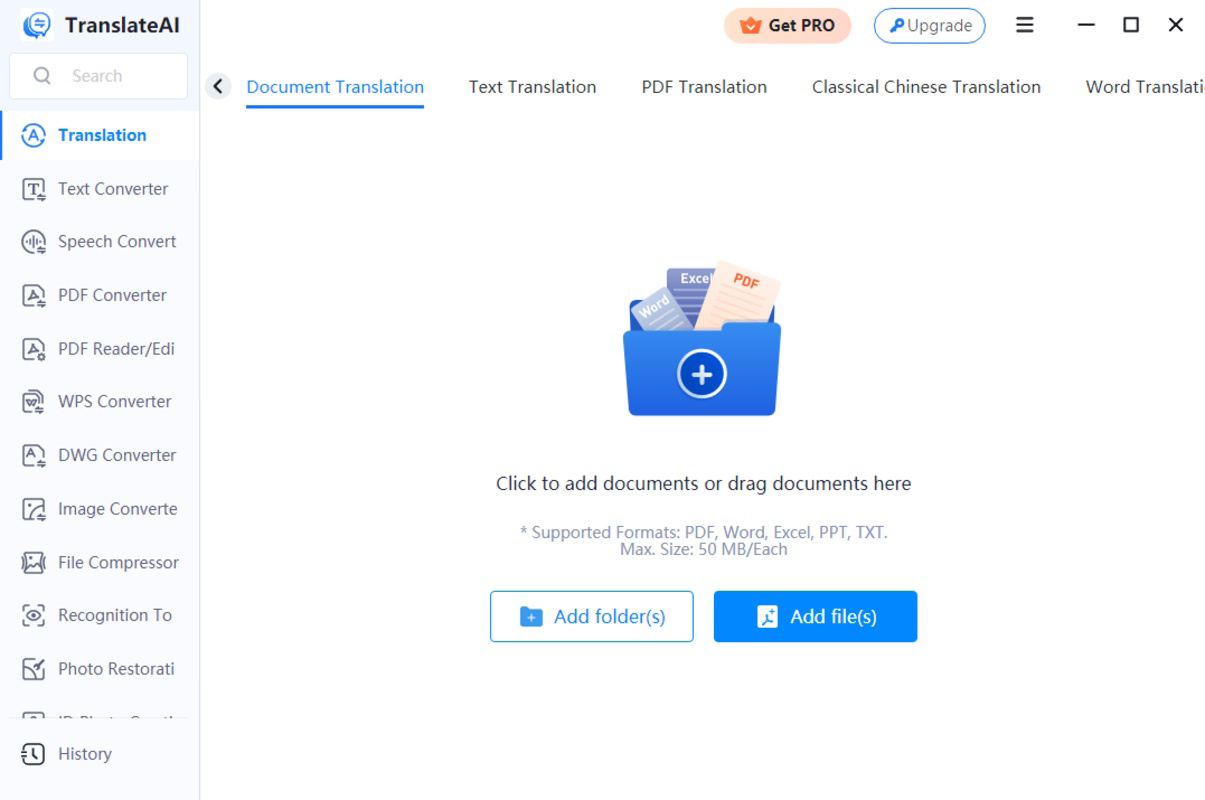
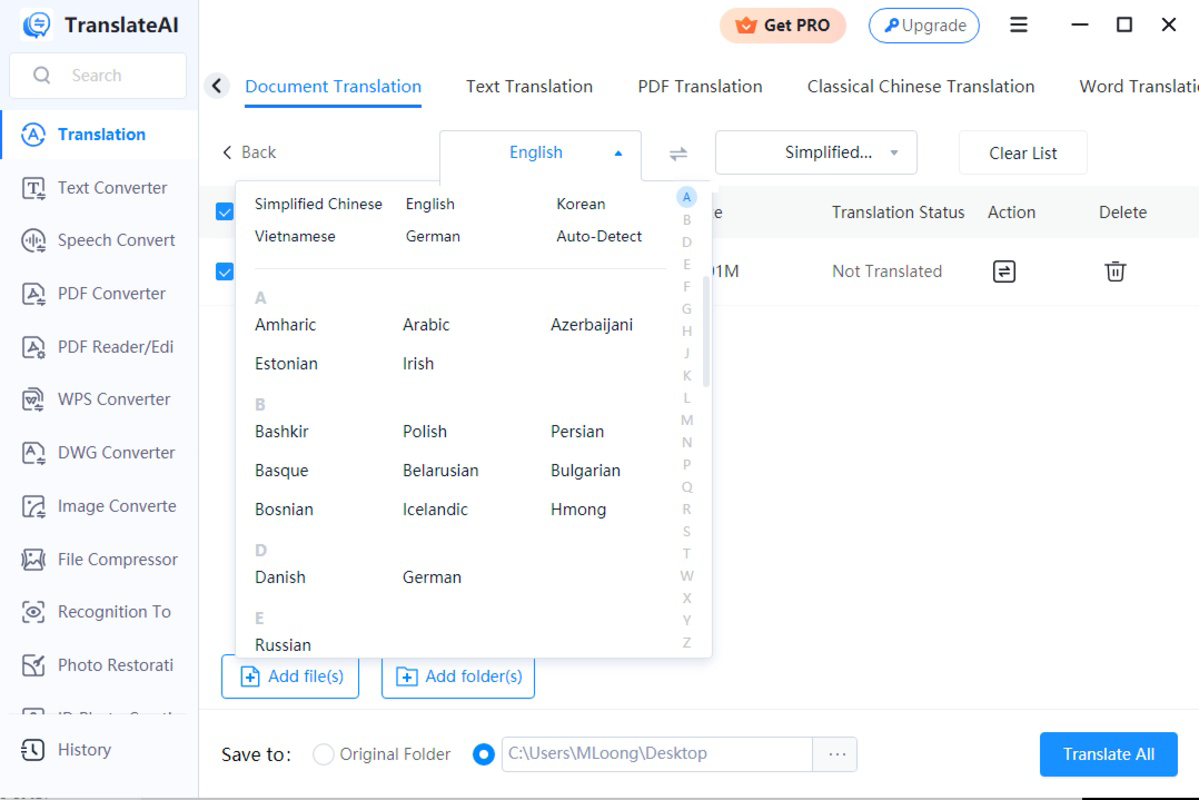
- Multi-Format Document Translation: Supports Word, Excel, PowerPoint, TXT, PDF, and image-based documents. Translations are rendered without altering original formatting, ensuring consistency across versions and platforms.
- AI-Powered Voice and Video Translation: Automatically transcribes and translates spoken content from audio and video files into multiple languages, ideal for podcasters, educators, and multilingual content teams.
- High-Quality Language Processing: Utilizes advanced AI models to deliver context-aware translations that maintain nuance, tone, and accuracy, reducing the risk of misinterpretation in professional settings.
- Integrated File Conversion Tools: Includes PDF conversion, image conversion, file compression, and multipurpose recognition features, enabling users to manage documents beyond translation tasks.
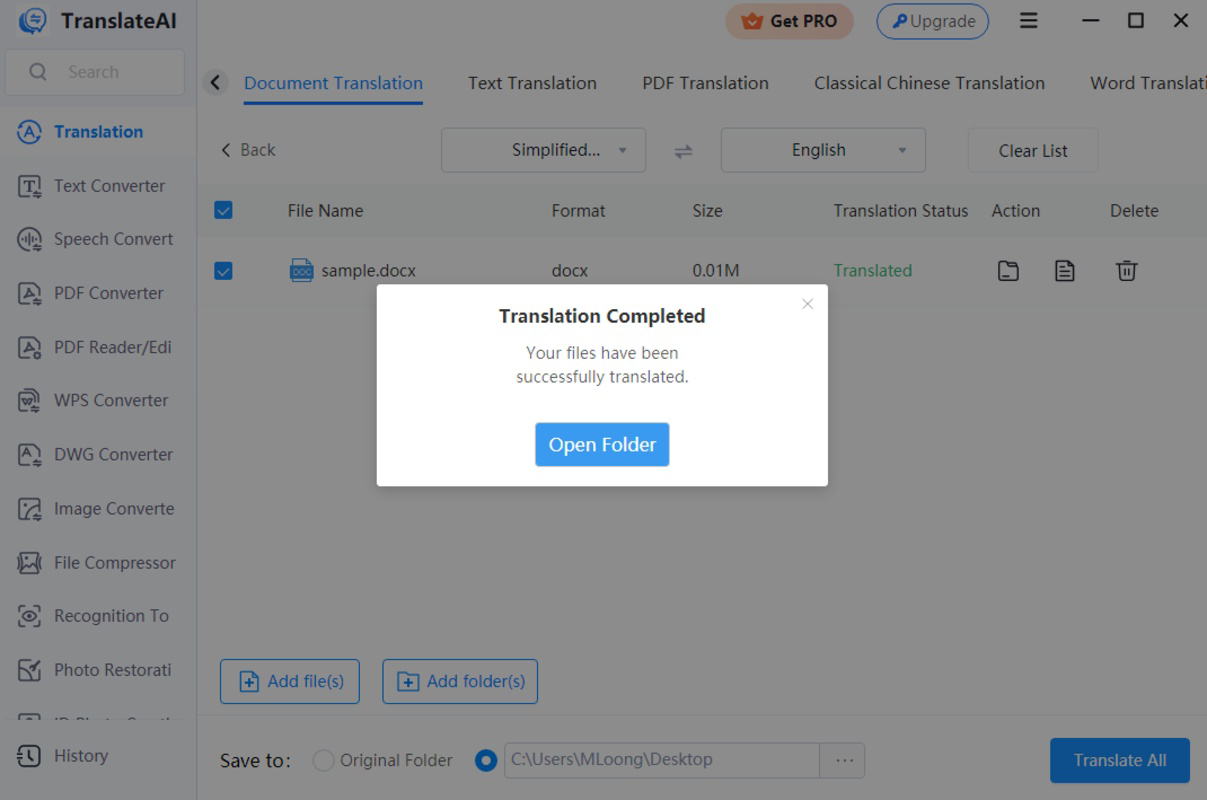
- Preservation of Document Integrity: Ensures that tables, fonts, layouts, and embedded elements remain unchanged after translation, supporting seamless sharing and editing.
For example, a student preparing a research paper in English can upload a scanned PDF in Chinese, translate it accurately while keeping the original structure, and export it for review. Similarly, a video blogger can upload a recorded interview in Spanish, use the AI voice translator to generate a real-time English transcript with translation, and publish it with subtitles. These use cases demonstrate how WorkinTool TranslateAI enhances productivity by reducing manual effort and minimizing errors in multilingual workflows.
Interface, UX & Performance
The app presents a clean, task-oriented interface designed for efficient navigation across translation and file management functions. Users can access core features through a centralized dashboard, with clear icons and intuitive workflows. The visual style emphasizes functionality over ornamentation, prioritizing readability and ease of use. Navigation is linear and consistent, guiding users from file upload to translation output with minimal friction. Although the developer did not list formal performance metrics, the app appears optimized for responsiveness across mid-range and high-end devices, with smooth transitions between screens and prompt processing times for standard file sizes. Stability is maintained during extended use, with no reported crashes or freezes in the current version. The interface adapts well to various screen sizes, ensuring usability on both smartphones and tablets. File processing appears to be handled efficiently, with progress indicators visible during translation and conversion tasks. While the app’s technical specifications were not fully disclosed, its performance aligns with expectations for a modern productivity tool in the mobile space. Users can expect reliable operation under typical usage conditions, with minimal lag or delay in processing common document types.
Platform Compatibility & Technical Requirements
WorkinTool TranslateAI is available on Android and iOS platforms. The app requires a minimum operating system version that was not specified by the developer. The current software version is not listed, nor is the exact file size provided. Compatibility with specific device models or hardware configurations was not disclosed. The developer did not specify minimum OS requirements, so users are advised to ensure their device meets general system standards for running AI-powered applications. While the app supports multiple file formats, including images and PDFs, the exact processing limits for file size or resolution were not mentioned. Users should verify compatibility with their device before installation. The app is designed for mobile use, but no information was provided about desktop or web-based extensions. Despite the lack of detailed technical data, the app appears to be structured for broad accessibility across modern smartphones.
Pros and Cons
Pros
- Supports translation across a wide range of file formats including images, PDFs, and office documents.
- Preserves original formatting during translation, ensuring professional-quality output.
- Includes AI voice and video transcription for spoken language content.
- Offers additional productivity tools such as file conversion and compression.
- Designed for real-world use by students, professionals, and content creators.
Cons
- Specific technical requirements and file size limits were not disclosed.
- Developer background and company details were not provided.
- Performance metrics or processing speed data were not shared.
- Compatibility with older devices or low-end systems remains unclear.
- No information was given about offline functionality or data privacy policies.
FAQ
Is WorkinTool TranslateAI free to download and use?
The app’s pricing model was not specified. Users should check the app store listing for current pricing, subscription options, or in-app purchase details.
Can I use WorkinTool TranslateAI offline?
Information about offline functionality was not provided. The app may require an internet connection for translation and AI processing tasks.
Does WorkinTool TranslateAI support languages other than English?
The app supports translation to and from English and other languages, though the specific list of supported languages was not disclosed.
How secure is my data when using WorkinTool TranslateAI?
Data security practices were not detailed by the developer. Users should review privacy policies and consider the sensitivity of documents before uploading.
Is WorkinTool TranslateAI available on both Android and iOS?
Yes, the app is available on both Android and iOS platforms. Specific version requirements were not listed.
Final Thoughts + CTA
WorkinTool TranslateAI stands out as a comprehensive, AI-driven tool that merges document translation, voice transcription, and file management into a single mobile experience. Its ability to maintain formatting across diverse file types, combined with intelligent audio processing, makes it a powerful asset for users navigating multilingual environments. Whether you're a student translating research materials, a professional handling international reports, or a content creator managing multilingual videos, this app offers tangible productivity gains. While some technical details remain undisclosed, the app delivers on its core promise: accurate, efficient, and user-friendly language conversion. For those seeking a reliable, all-in-one solution to break down language barriers on mobile, WorkinTool TranslateAI is a strong contender. Download WorkinTool TranslateAI now.
Guides & Tutorials
How to install WorkinTool TranslateAI
- Click the Download button above.
- Once redirected, accept the terms and click Install.
- Wait for the WorkinTool TranslateAI download to finish on your device.
How to use WorkinTool TranslateAI
This software is primarily used for its core features described above. Open the app after installation to explore its capabilities.
User Reviews
No reviews yet. Be the first to share your experience.
You may also like
more
Que no te pillen¡
About !Que no te pillen¡Reviewed by Jason A. BilbreyShow MoreShow Less

3D Combat Zone
About 3D Combat ZoneOriginally released in 1983, 3D Combat Zone immerses players...

666: El día del portal
About 666: El día del portalOn June 6, 2006, Agent P. Stone uncovers a sinister...

80 in 1 Best Flash games
About 80 in 1 Best Flash games 80 in 1 Best Flash games is a collection of 80 fl...

ABYSS SEEKERーーWhat Do You See Deep in The Abyss
About ABYSS SEEKERーーWhat Do You See Deep in The AbyssIn ABYSS SEEKER, players...

ACA NEOGEO THE KING OF FIGHTERS 2002 for Windows
About ACA NEOGEO THE KING OF FIGHTERS 2002 for WindowsTHE KING OF FIGHTERS 2002,...